
 Paulo Castellano
How to organize your Laravel app with Website and Admin Panel
See how organize your Laravel application in two parts, public website and admin panel. Separate your controllers, views and route files!

Many projects have different parts in their structure, like a blog for example.
You have the administrative part, where for example you will manage your posts, newsletters, schedule new posts and etc.
However their administrative panel and the public part where their readers access are totally different, they depend on middleware, repositories, controllers, filters, cache and totally different views.
To have a better organization of these standards, I created this organization structure that works for my daily life, but feel free to adapt the structure to your needs.
Throughout this article we will use the structure of a blog as an example.
Separating views
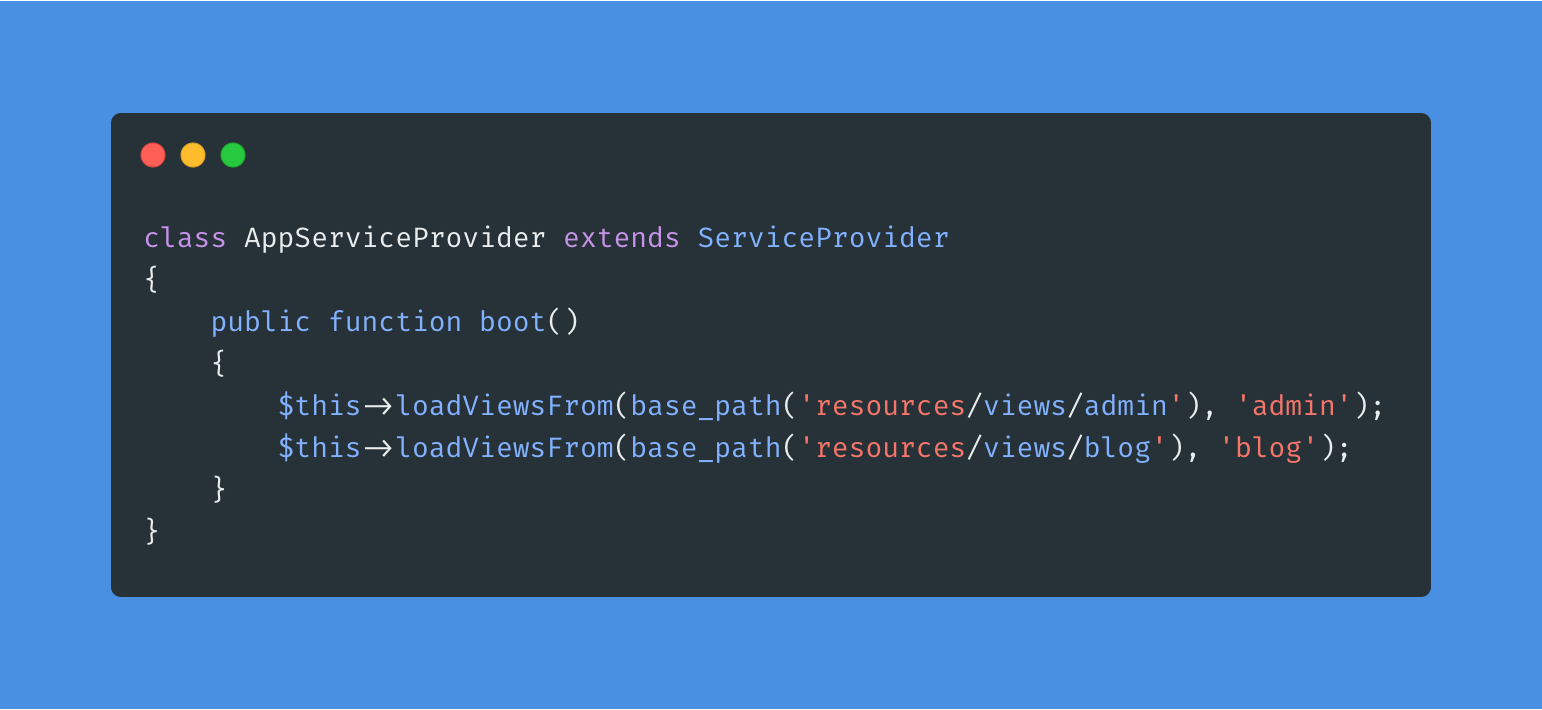
The first thing I do is create “alias” for the views “views/admin” and “views/blog” as in the example below:
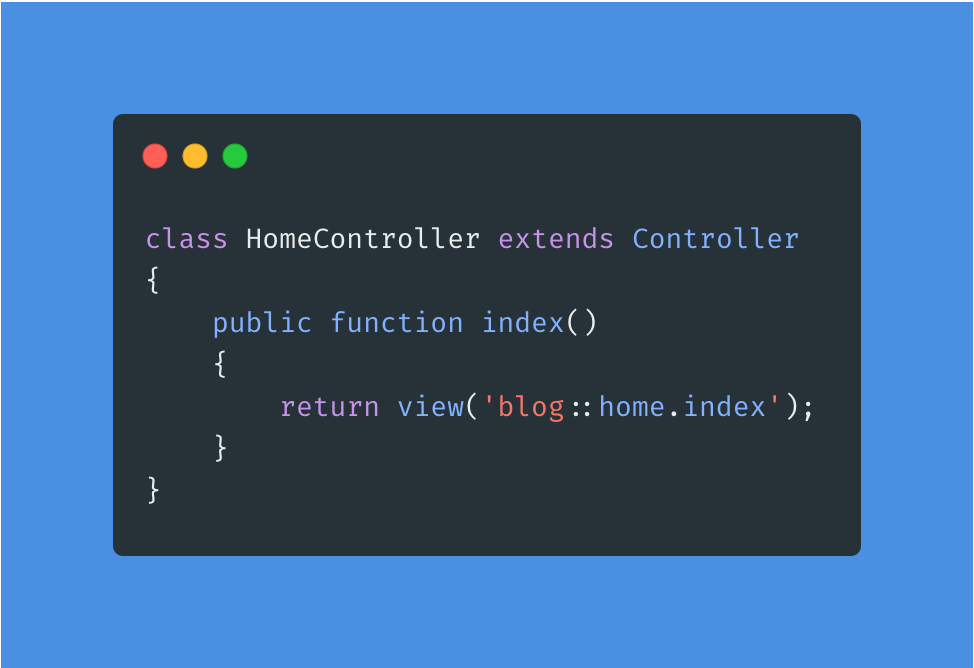
This way you will be able to use these “aliases” when necessary, as in the example below, where “blog::path_to_view” is equal to “views/blog/path_to_view”.
Namespaces structure
Another thing I always do and it helps me a lot in the organization is to separate the controllers in different namespaces, like “Controllers/Admin” and “Controllers/Blog”.
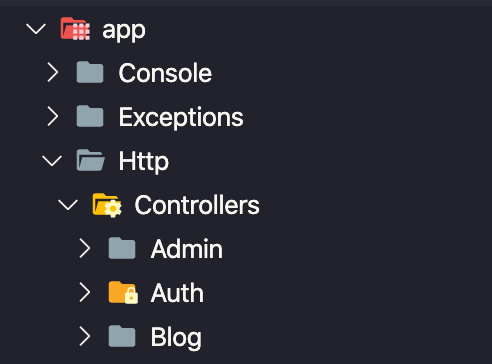
With this structure, your project is organized and its code is isolated in the respective namespaces.
Bonus:
If you want to be even more organized, you can still break your route file in two.
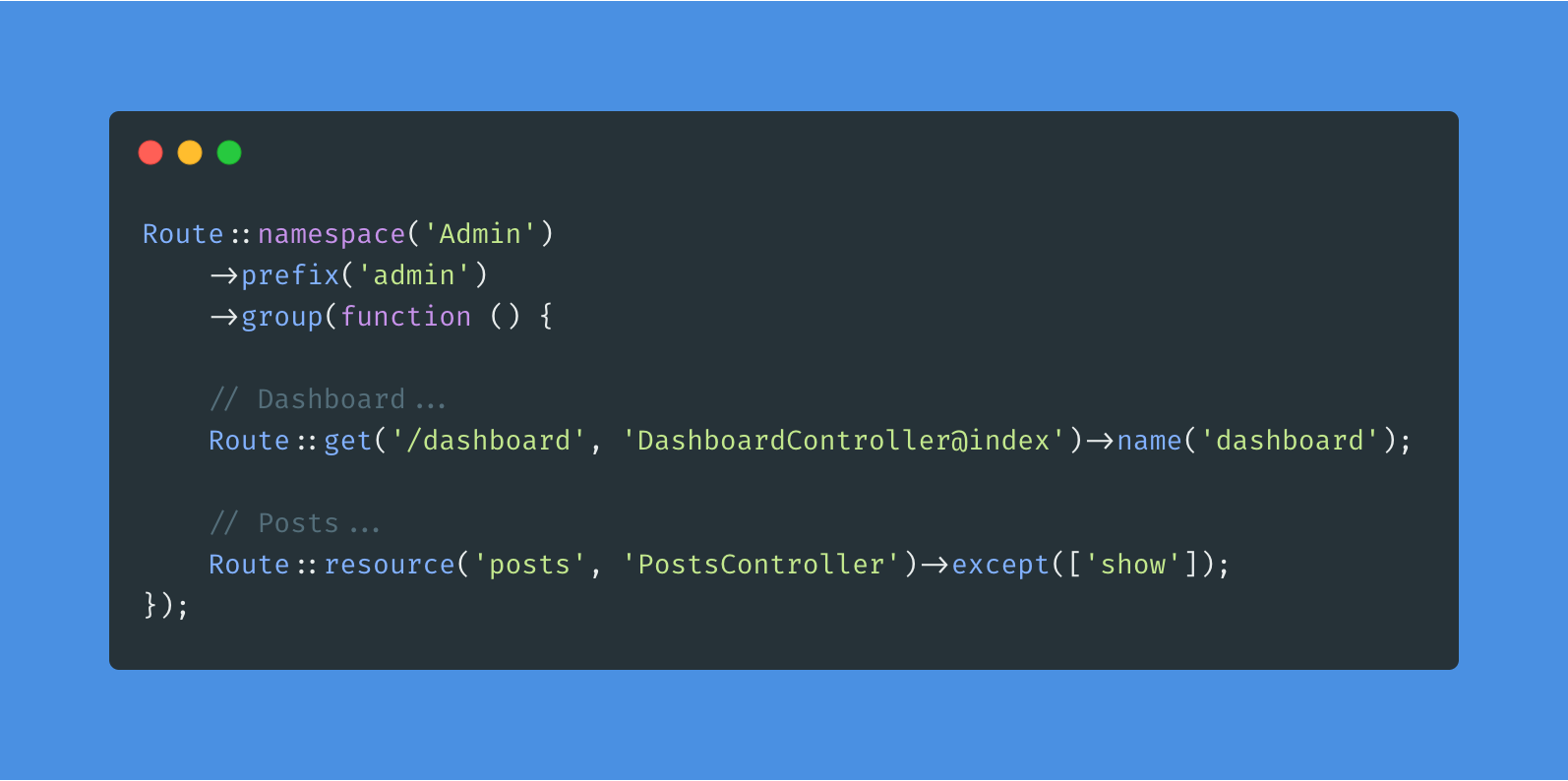
Instead of just keeping the file “routes/web.php” you can divide it into “routes/admin.php” and “routes/blog.php”.
To do this, create the two files “routes/admin.php” and “routes/blog.php”, notice that I’m already putting the correct namespaces and prefixes in the route group as well.
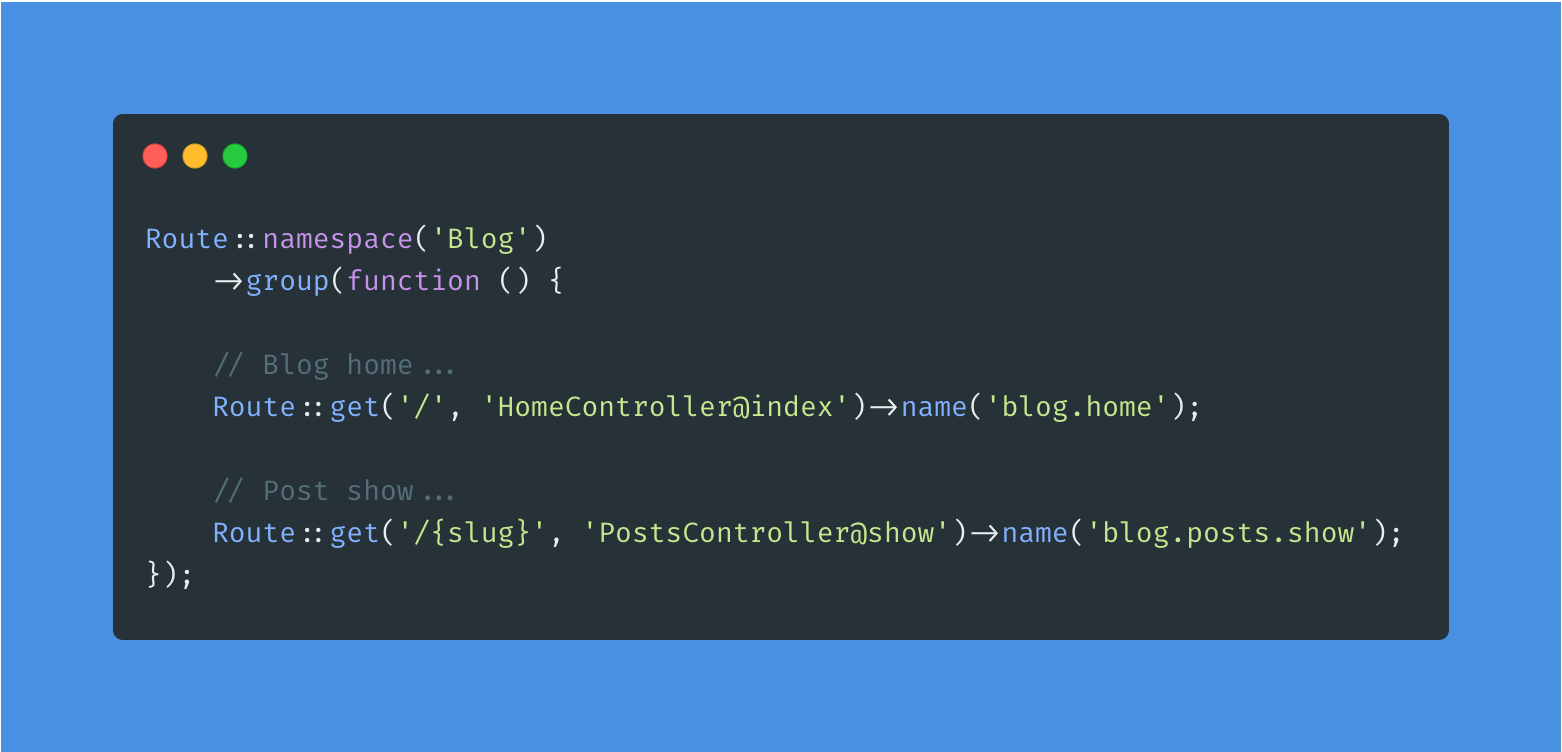
To stop reading just the “routes/web.php” file and start reading the “routes/admin.php” and “routes/blog.php” files, you need to adjust your RouteServiceProvider as follows.
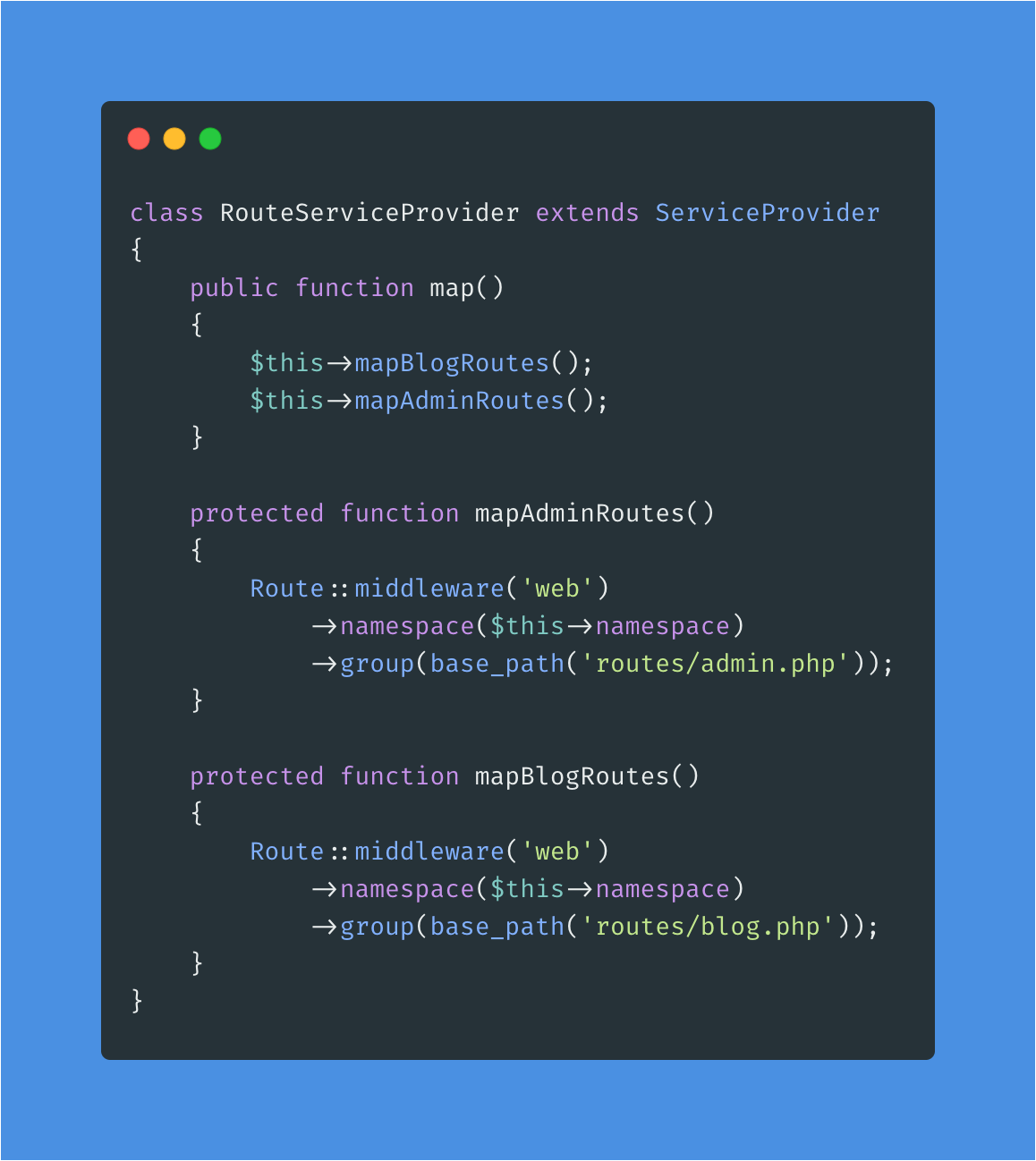
Okay, now your project will be much more organized and easy to maintain.
If you have any suggestions for improvement or criticism of this structure, leave it in the comments below to discuss.
Important:
- You will need to run: composer dump-autoload for the changes to take effect.
- This organization tutorial works from Laravel 5.0 to 7.x
Share this article